Robinhood Banking
- 4.9
- Rating
- 100.00K
- Installs
- Free
- Price

 Analysis by App-foxy
I approached Robinhood Banking as a practical finance app rather than as a flashy trading tool. Its store summary points to credit cards and banking, and that focus changes how I judge it: the important question is whether it can make everyday money management feel simpler, not whether it can replace every financial service on my phone. After spending time with the app, I found a product that is easy to understand at a glance, but one that deserves a careful look before becoming the center of your financial life.
The app is free, developed by Robinhood, and aimed at an Everyone audience. That makes it approachable for people who want to explore a banking-focused experience without committing money just to try it. It has a 4.9 average from around 15 thousand ratings, with roughly 1.5 thousand written reviews, and has passed 100 thousand installs. Those figures suggest strong early interest, although I would still treat popularity as a starting point rather than proof that it suits every kind of customer.
How the current banking experience feels
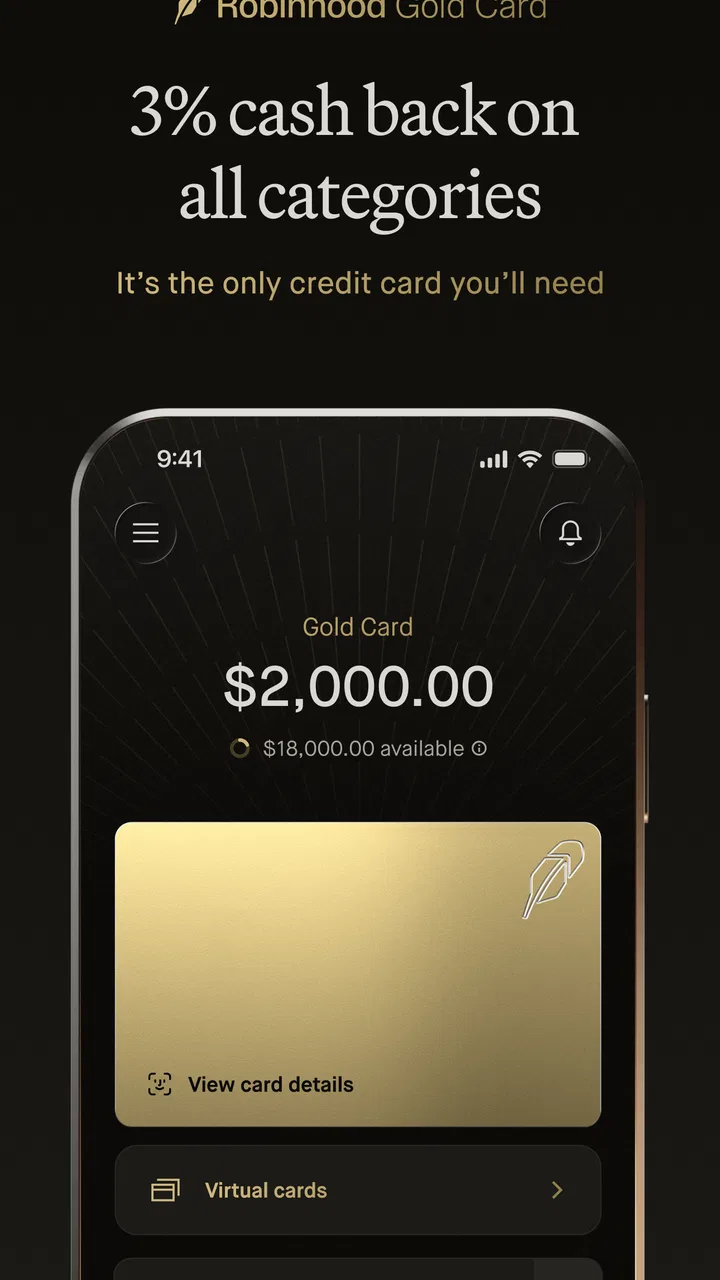
My first impression is that Robinhood Banking is built for people who want financial information presented without much clutter. The most useful quality is the sense of direction: instead of making me work through a maze of menus, the app points attention toward the banking and credit-card side of the Robinhood experience. That is valuable when I am checking a balance quickly, reviewing activity, or deciding whether I need to take action.
You May Also Like

 Blood Strike: 2.5 Anniversary
Blood Strike’s Loadouts Turn Every Drop Into a Tactical Gamble
A close look at Blood Strike’s custom loadouts: how fast access to signature weapons reshapes its battle royale rhythm, rewards preparation, and narrows the gap between fights.

 Pandora - Music & Podcasts
Pandora’s Music Is Easy to Start, but Harder to Recover
Pandora’s strength is its low-effort path from a seed to a station. Its weak spot is how much confidence it asks you to place in connection, setup, and quiet recovery.

 8 Ball Pool
 Is Built on Rivalries, Rematches, and Routine
A close look at the rivalries, rematches, shared routines, and unanswered safety questions that turn a quick pool match into a persistent mobile community.

 Samsung Music
’s Quiet Strength Is Playing What You Already Own
Its reach comes less from spectacle than from dependable access to a personal library. That simplicity is both the app’s strongest retention engine and its ceiling.

 AccuWeather: Weather Radar
AccuWeather Review: A Quick, Clear Forecast for Everyday Decisions
For everyday plans, the best forecast is the one you can understand quickly. AccuWeather makes rain timing, radar, and local conditions easy to act on, with a few trade-offs.

 Hill Climb Racing
Why Hill Climb Racing Still Turns Crashes Into One More Run
A tiny car, a bumpy hill and one more upgrade: Hill Climb Racing keeps resurfacing because its simple chaos makes every near-miss feel personal.
More From Our News Desk
View All News


This simplicity can be especially helpful for someone moving away from a traditional bank app that mixes checking, savings, loans, insurance, investing, rewards, and promotional panels on one crowded home screen. A focused interface reduces the mental effort involved in finding a basic account detail. I would recommend it first to a person who prefers a clean starting point and is comfortable learning a newer financial product gradually.
At the same time, a clean presentation should not be confused with a complete banking relationship. People often use the word “banking” to mean much more than viewing money and managing a card. They may need dependable bill handling, cash access, joint finances, business support, international use, or a long history of account tools. Before switching, I would write down the tasks I perform every month and check whether this app can realistically cover them.
That small exercise is one of the most useful ways to evaluate a finance app. I would not install Robinhood Banking simply because the screen looks modern. I would install it to solve a defined problem, such as keeping a closer eye on card activity or bringing a banking account into the same general financial routine. If the goal is a full replacement for a long-established bank, the decision needs more caution.
A realistic everyday routine
Imagine that I use the app during a normal workday. I buy lunch, notice a card notification, and later want to make sure the purchase fits within my plan for the week. A banking app should let me move from that moment of uncertainty to a clear understanding of my recent activity without making me search through unrelated sections. This is where Robinhood Banking makes the most sense to me: as a quick checkpoint between purchases and larger money decisions.
I would also use it before a weekend away. Rather than waiting until the end of the month to discover that several small purchases added up, I could make a short review part of my routine. The important habit is not opening the app constantly; it is using the information at the right moments. A quick check after recurring payments, travel spending, or a larger purchase can prevent a small misunderstanding from becoming a budgeting problem.
There is a subtle trade-off here. A streamlined app can make checking easier, but it may also encourage a narrow view of money if I only look at the latest card activity. I would pair it with a simple personal budget or a separate record of upcoming obligations. That approach keeps the app useful without expecting one screen to explain my entire financial situation.
What the version and release timing tell me
Robinhood Banking was released on March 19, 2024, and the current version is 2.3.1. I see that version information as a sign that the product has moved beyond a first public appearance and has already had room to develop. It is still important to separate that observable product history from assumptions about what may arrive next. A version number does not automatically tell me that every feature request has been addressed, nor does it promise a particular future direction.
For an existing user, a newer version can matter in practical ways even when the visible interface looks familiar. Small changes in navigation, account presentation, or reliability can affect how confidently I use a finance app. My advice is to judge each update by the tasks that matter to you: Can you reach the information you need quickly? Do your regular actions still feel clear? Has anything important become harder to find?
I would also avoid treating the release date as a reason to distrust the app. A relatively recent product can be appealing because it may feel less weighed down by years of accumulated clutter. The other side is that established banking apps often benefit from long-tested workflows and broader support for unusual situations. Robinhood Banking sits in an interesting middle ground: it feels like a focused modern option, but I would give extra attention to the practical details that matter when something goes wrong.
What changes mean for people already using it
If I were already using Robinhood Banking, I would not judge an update only by the appearance of the home screen. I would test the complete path from opening the app to confirming a transaction or reviewing an account detail. That includes checking whether labels remain understandable, whether the most important action is still easy to locate, and whether the app gives me enough context to recognize a purchase correctly.
One useful habit is to review the app after an update when I have time, rather than during an urgent payment or a rushed trip. I would look through recent activity, revisit the card area, and confirm that the information I rely on is presented in the same place or has a clear replacement. This is a better way to adapt than assuming a familiar layout has remained unchanged.
For someone considering a move from another banking app, the transition should be gradual. I would keep the existing bank available while testing Robinhood Banking with everyday, low-risk tasks. That lets me evaluate the experience without making a sudden change to the account that receives my income or handles important automatic payments. It also reveals whether the app fits my habits instead of merely making a good first impression.
The app may be most attractive to people who already understand the broader Robinhood environment and want a banking-oriented companion to it. Familiarity can reduce the learning curve and make the financial picture feel more connected. However, I would not assume that an existing relationship automatically makes this the best choice. A person who values a traditional branch network, extensive account types, or a very mature customer-service process may still prefer a conventional bank.
Credit-card use requires a separate kind of attention
The credit-card angle deserves more thought than a quick glance at a balance. I would treat the app as a place to monitor spending and account activity, not as permission to spend more simply because a credit line is available. The most useful workflow is to check purchases regularly, identify recurring charges, and compare the total with money I have actually set aside.
A practical tip is to review a card after a subscription renews. Recurring services are easy to forget, and a banking app can help bring those charges back into view. I would also check unfamiliar transactions promptly instead of waiting for a monthly statement. That is not a special trick limited to this product; it is simply the kind of discipline that makes a mobile banking tool genuinely helpful.
The trade-off is that convenience can make credit feel less tangible than cash. If I tend to underestimate small purchases, I would use a weekly spending limit outside the app and record upcoming bills separately. Robinhood Banking can support awareness, but it cannot replace the judgment involved in deciding whether a purchase belongs in my budget.
Where the app still needs a careful evaluation
The biggest limitation is not necessarily a missing button; it is the risk of expecting a focused banking app to behave like a universal financial command center. My own test would include unusual situations, not just the pleasant daily path. I would ask how comfortable I feel when I need help, how quickly I can understand an unfamiliar transaction, and whether the app gives me enough confidence before I move important money-related activity into it.
I would also compare it with the alternatives I already know. A traditional bank app may be less elegant but more familiar to a household that manages several account types together. A dedicated budgeting app may offer a more detailed view of categories and long-term spending patterns. A finance app centered on investing may be better for someone whose main goal is portfolio management rather than everyday banking. Robinhood Banking is more compelling when its focused banking experience matches the user’s priorities.
That comparison should include the cost of changing habits. Even a free app can require time to learn, accounts to reorganize, and routines to rebuild. I would not move everything immediately if I depend on a bank for salary deposits, scheduled obligations, or family finances. Testing one part of the workflow first gives me useful evidence while keeping the consequences manageable.
Another point is age and accessibility. The Everyone rating makes the app broadly approachable from a content perspective, but that does not mean every financial situation is equally simple. A teenager, a freelancer, a couple managing shared expenses, and a frequent traveler may all need very different things from a banking product. I would judge the app against the complexity of my real life, not only against how easy it is to open and browse.
Who should try it and who should look elsewhere
I see Robinhood Banking as a good candidate for a user who wants a straightforward mobile-first banking experience, pays close attention to card activity, and prefers to keep financial tasks in a relatively focused environment. It can also suit someone who is already comfortable with Robinhood and wants to explore its banking direction without paying an entry fee. The free price removes one barrier to testing, which is useful when the best way to decide is to use the app with modest expectations first.
I would be more hesitant to recommend it as the only financial app for someone with complicated household arrangements. If I needed a branch, extensive support for unusual transactions, business-oriented banking, or a long-established set of account services, I would compare established alternatives before making a change. The same applies if I want detailed financial planning rather than day-to-day banking visibility.
People who dislike checking accounts regularly should also be realistic. A finance app cannot protect me from overspending if I never review it. Its value increases when I build a repeatable habit around it, such as checking after purchases, reviewing recurring charges, and looking at activity before a larger financial decision. Without that habit, the app risks becoming another icon on my phone instead of a useful control point.
Three habits that make the experience more useful
First, I would use the app as a transaction checkpoint rather than as a passive balance display. After a busy day, I would scan recent activity and confirm that the purchases I remember are the purchases shown. This helps catch confusion early and makes the balance more meaningful than a single number viewed without context.
Second, I would separate short-term checking from long-term planning. Robinhood Banking can be part of my daily money routine, while a simple spreadsheet or budgeting method can hold future obligations and savings goals. This division prevents me from asking the app to do a job that belongs to a broader financial plan.
Third, I would test the app during a quiet period before depending on it. I would learn where the important information lives, review a few ordinary transactions, and see whether the language makes sense to me. This is especially valuable for anyone moving from a familiar bank because the smallest differences in labels and navigation can create hesitation at the wrong moment.
What I would watch as the product evolves
The current version gives me a snapshot of Robinhood Banking as it stands now, while the release history suggests an app that is still developing. I would watch for changes that improve clarity rather than simply adding more destinations to the interface. Better explanations, smoother everyday workflows, and dependable access to important account information would matter more to me than a long list of decorative additions.
I would also pay attention to how the app handles the boundary between credit cards and banking. Those areas are connected in daily life, but they encourage different decisions. A strong experience should help me understand what has happened, what needs attention, and what belongs to a future payment plan without making the relationship between spending and available money confusing.
Existing users should watch whether updates preserve the routines they already trust. New users should watch whether the product becomes more suitable for their particular situation over time, rather than assuming that every change will automatically make it a better fit. My approach would be to read the update information, open the app after installing a new version, and verify the few functions I use most.
I would also keep expectations grounded. The current evidence supports viewing Robinhood Banking as a free, banking-focused finance app from Robinhood with a strong public reception and an active version history. It does not give me a reason to assume that it will replace every bank, budget tool, or credit-card workflow. The best reason to try it is a specific everyday need, not the promise of an all-in-one solution.
My final take after using it
I like Robinhood Banking most when I think of it as a clear, mobile-first way to stay closer to banking and credit-card activity. The app is approachable, easy to test, and potentially useful for someone who wants less friction during ordinary money checks. Its free price makes experimentation sensible, and the current version shows that the product has continued to move beyond its initial release.
My recommendation is conditional rather than absolute. I would try it if I wanted a focused banking experience and was willing to test it alongside my existing setup. I would not make it my only financial tool until it had proved itself through the routines that matter to me: reviewing transactions, handling recurring expenses, understanding card activity, and finding help when a situation is less ordinary.
In short, Robinhood Banking is worth a look for users who value simplicity and already feel comfortable with a digital-first approach. It is less convincing for people who need the breadth and established structure of a traditional bank or the detailed analysis of a dedicated budgeting product. For me, its strongest role is as a practical daily checkpoint—small, focused, and useful when I use it with clear expectations.
FAQs for Robinhood Banking
01What is Robinhood Banking and how does it work?
Robinhood Banking is a mobile platform designed to simplify investing and banking. It offers commission-free trading of stocks, ETFs, and cryptocurrencies. Users can easily manage their investments, access market data, and make informed financial decisions via a user-friendly interface. The app also provides banking services like cash management accounts.
02Is Robinhood Banking secure to use for financial transactions?
Yes, Robinhood Banking employs advanced security measures to protect user data and transactions. This includes encryption, two-factor authentication, and continuous monitoring for suspicious activity. However, as with any financial platform, users should maintain strong passwords and be vigilant about phishing scams.
03Are there any fees associated with using Robinhood Banking?
Robinhood Banking is known for its commission-free trading model, meaning there are no fees for buying and selling stocks, ETFs, and cryptocurrencies. However, users should be aware of potential fees for premium services, such as Robinhood Gold, which offers additional features like margin trading and research reports.
04What types of accounts can I open with Robinhood Banking?
Robinhood offers several account types to cater to different user needs. This includes individual brokerage accounts for stock and ETF trading, as well as cash management accounts that function like traditional bank accounts, offering competitive interest rates and no account minimums. Cryptocurrency accounts are also available for trading digital assets.
05Can I access Robinhood Banking on multiple devices?
Yes, Robinhood Banking is accessible on both Android and iOS devices, allowing users to manage their accounts on the go. The app is designed with a seamless interface that syncs across devices, ensuring users have access to their financial information and can conduct trades wherever they are.
Pros
- User-friendly interface for beginners.
- Commission-free trading on stocks.
- Real-time market data available.
- Fractional shares for small investors.
- Quick account setup process.
Cons
- Limited research tools available.
- Customer support can be slow.
- No retirement account options.
- Occasional app outages reported.
- No direct cryptocurrency wallet.

Robinhood Banking
Gallery